Bookmark Squirrel

I needed a bookmark manager that could manage thousands of bookmarks, had clean looking custom lists that automatically flowed on my wide monitor, and had an easy search system with uncluttered results. So I built Bookmark Squirrel.Join The Beta
Beautiful lists with custom colored bookmarks
Create a custom list of bookmarks and even colorize the bookmarks to make them stand out.
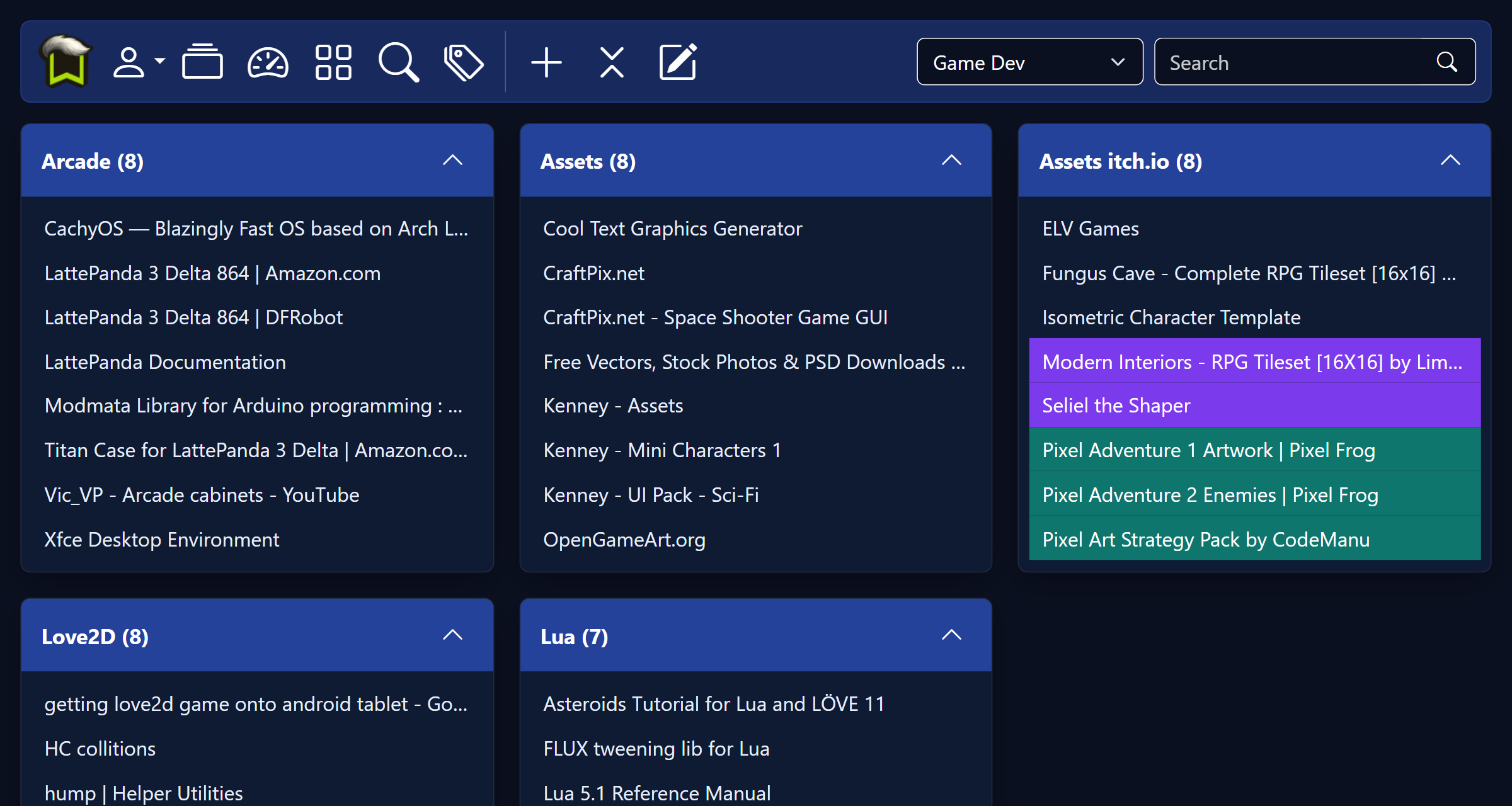
I often want to find something at a glance. Coloring my bookmarks with predefined or custom colors helps with that.
Tagalicious for finding your most common tags
View all your tags at once. Sort alphabetically or by how many bookmarks a tag has.
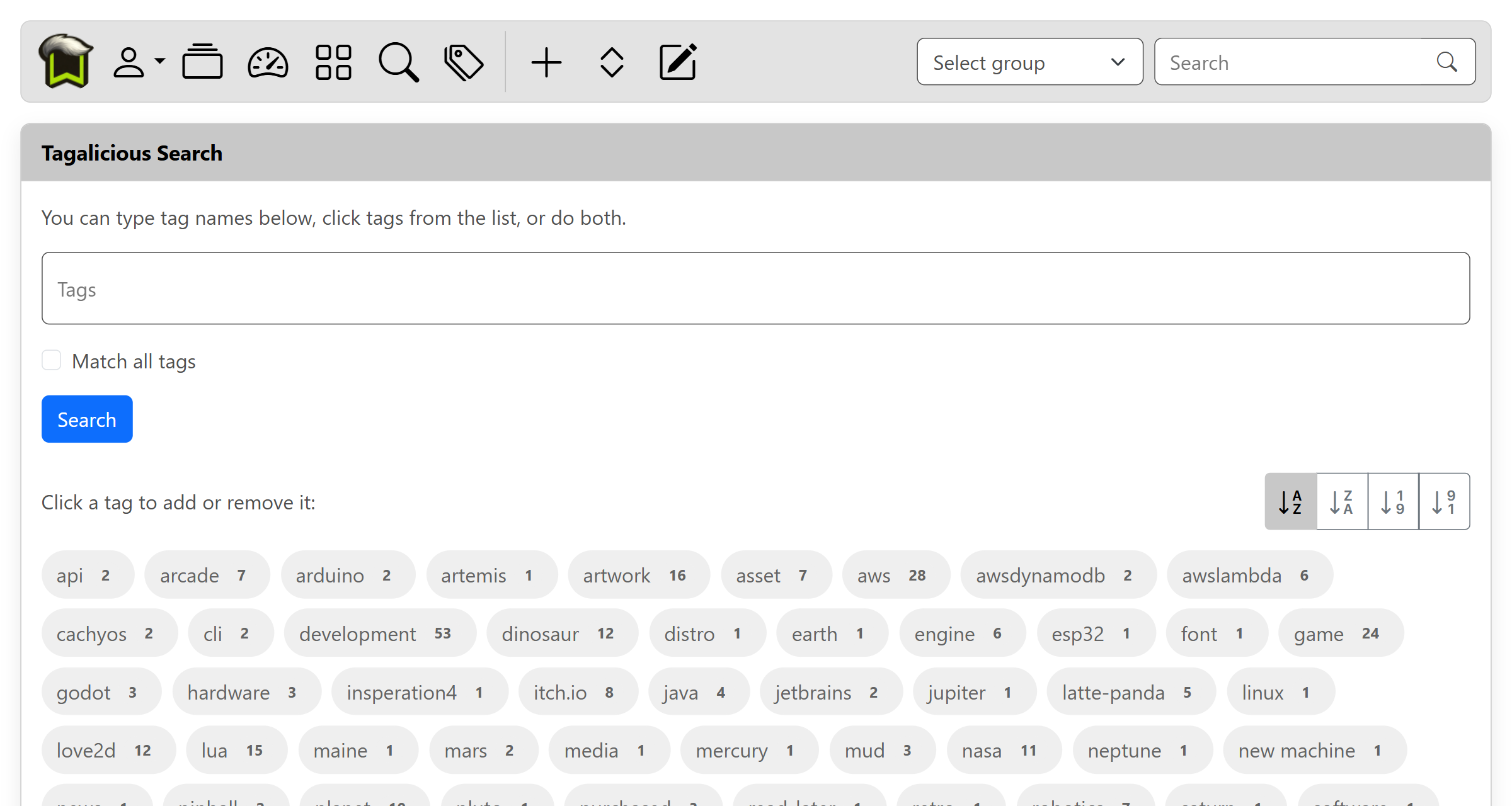
It's not always easy to remember the best tag to use. Seeing everything at a glance helps me keep my subjects together.
The grid brings clusters of information into order
If you have more than a handful of bookmarks, you gotta be able to get things organized.
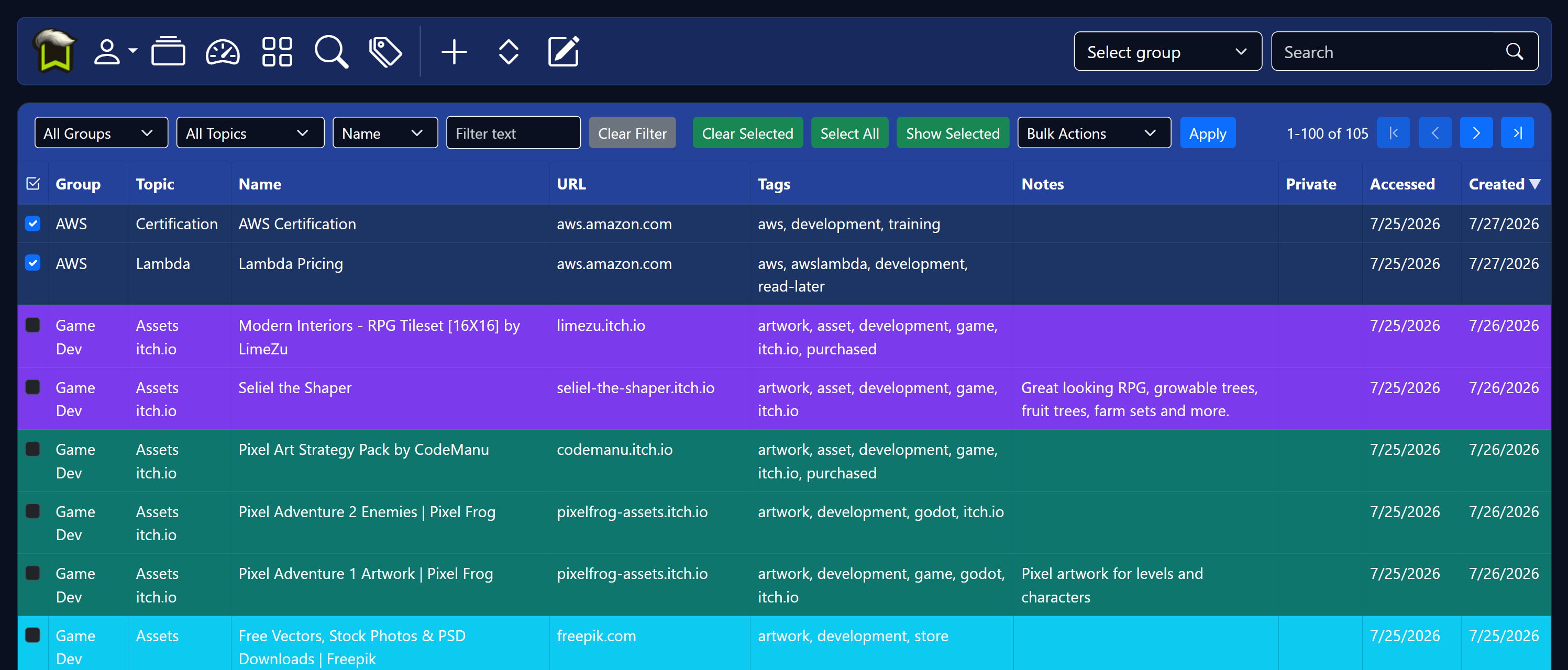
As my organization process evolves, or new topics become relevant, bulk editing allows me to quickly reassign large numbers of bookmarks.
Security & Privacy
Taking security and privacy seriously.
All traffic is encrypted. Bookmark URLs and Emails are not shared or sold. See our Privacy Policy for more info. Users can optionally share a bookmark group. Hidden bookmarks remain hidden and are not included on shared pages. Shared pages can also be password-protected. Shared page passwords are encrypted at rest using AES-GCM authenticated encryption.
Login accounts are protected with one-way password hashing, and can be further protected with optional 2FA and Google OAuth sign-in.
Payments are processed securely through Stripe, and Bookmark Squirrel does not store payment card information on its own servers.
Shared Bookmarks
Share a group of bookmarks, and even password protect them.
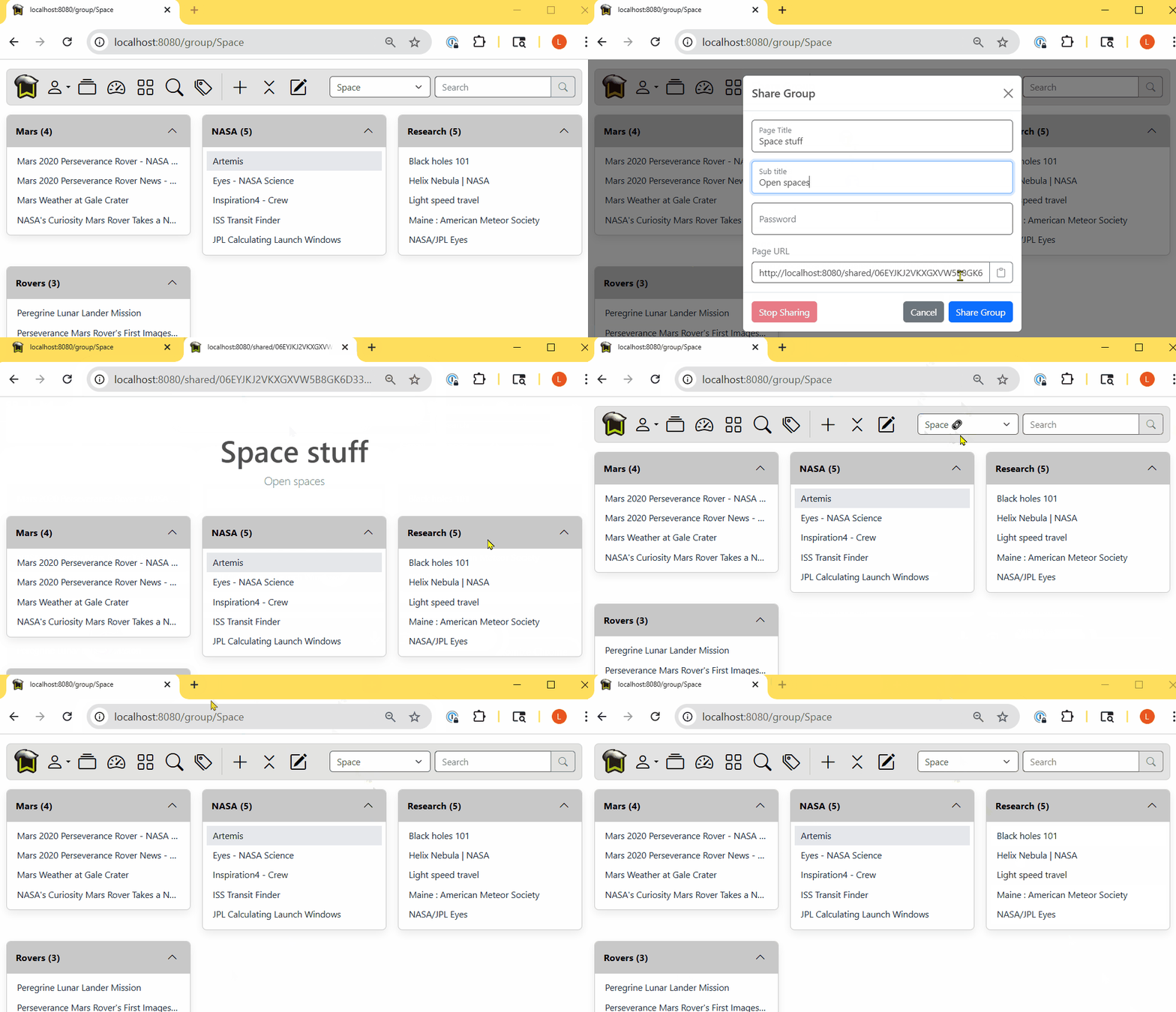
When I do coding jams, it's great to be able to share my resources with other team members.
Hidden Bookmarks
Hidden groups, topics and bookmarks only show when you set the UI to show them.
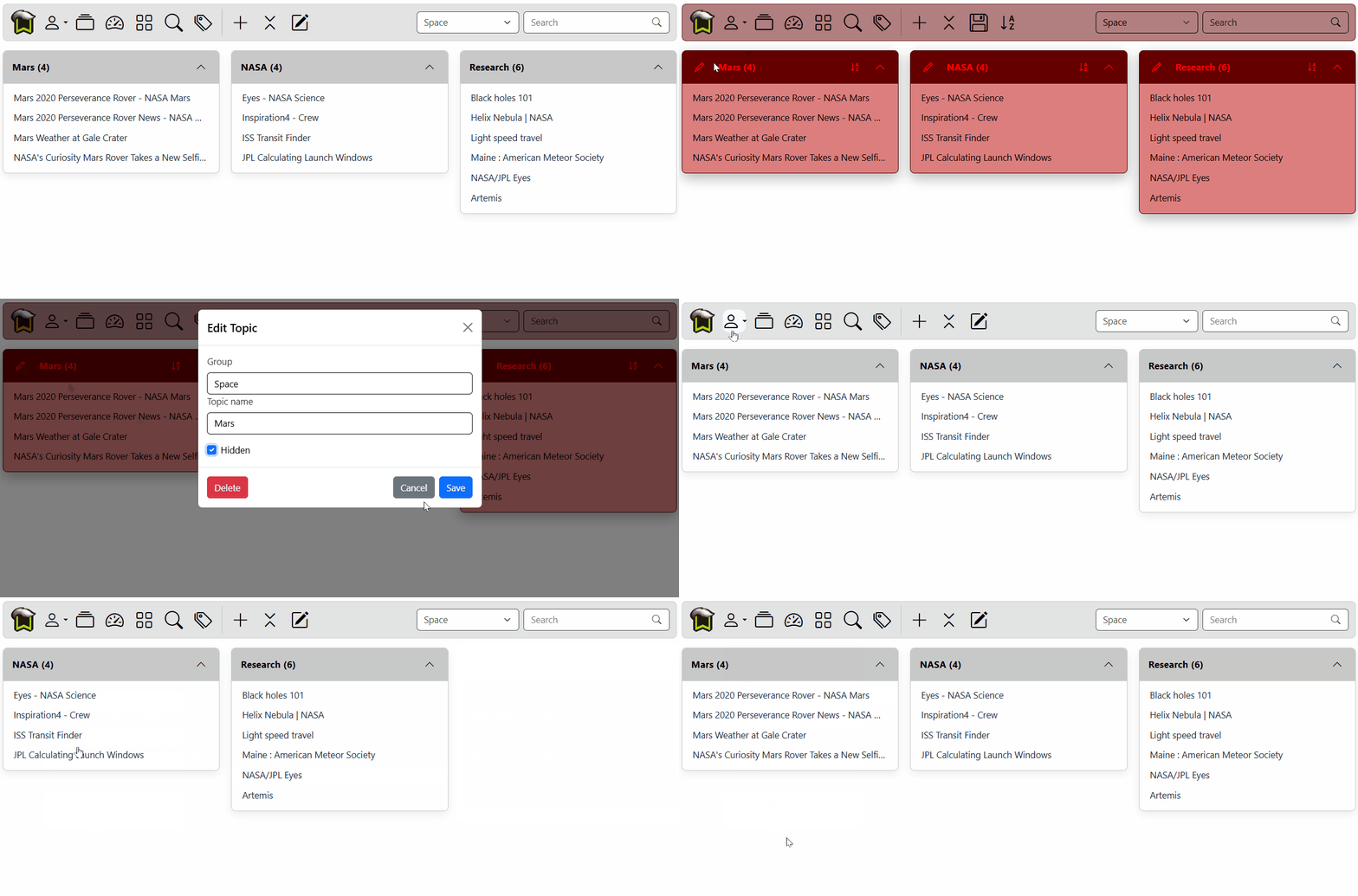
At work when I don't want games or other stuff showing in my lists or search results, I set them as hidden.