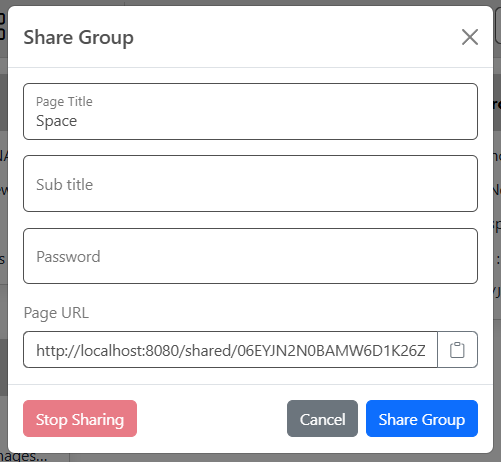
Share Groups
Pro feature You can share one or more group pages with other people. You can also password protect your page. When you share a group, you get a unique URL that you can use to access the shared page. You will notice the group name has a share icon next to it in the group selector when the page is shared.
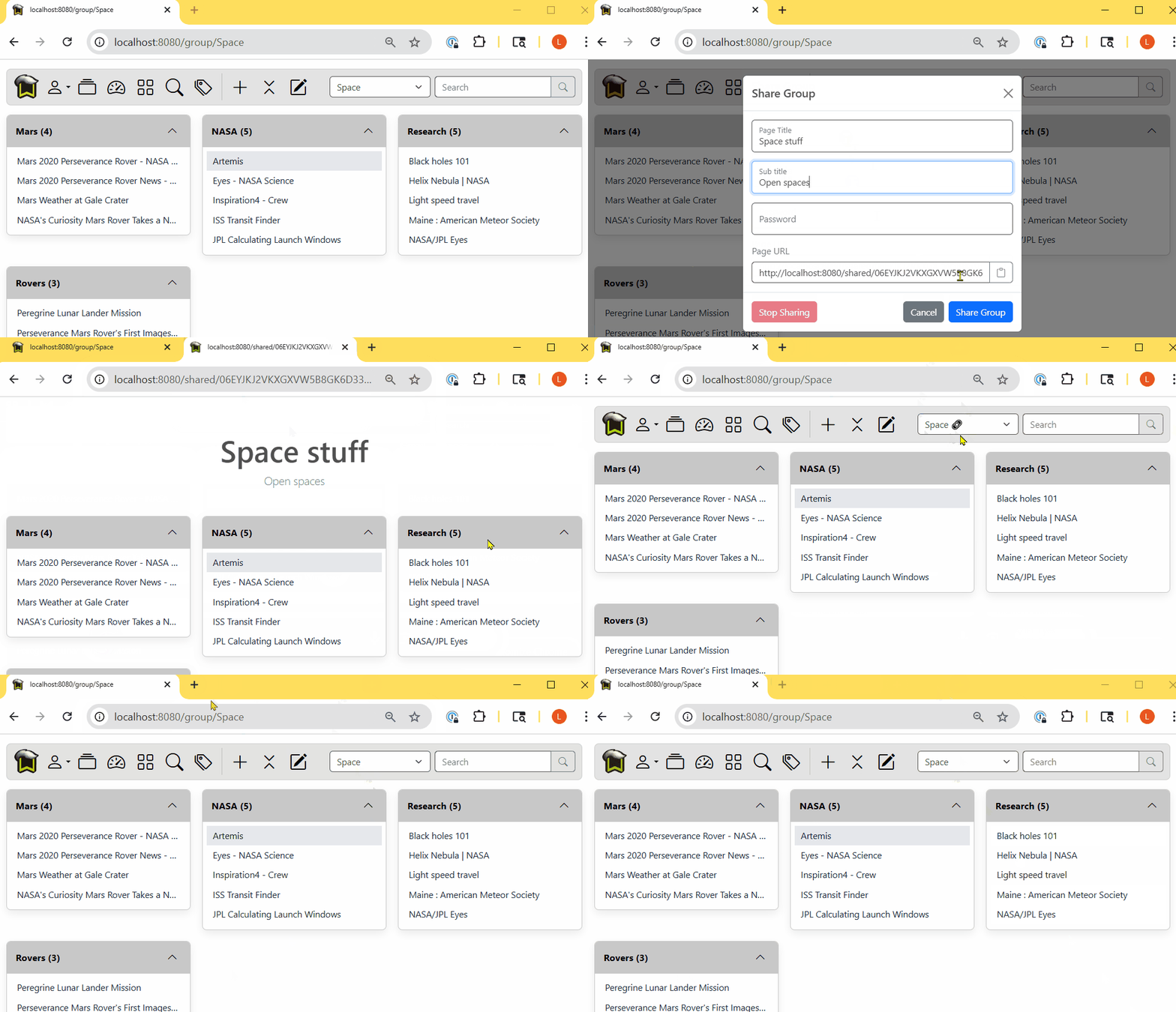
Share a group
Select User menu > Share Group to open the share group dialog. You can change the page title and add a subtitle if you wish. If you enter a password, that password will be required to access your page. Click the copy icon next to the URL to get a copy of the URL, then click the Share Group button to expose the group to the world.
If you have hidden bookmarks on the page, they will not be shown on the shared page.
Stop sharing
To stop sharing, simply select the group in the group selector, then open the Share Group dialog again with User menu > Share Group and select Stop Sharing. After that your page is no longer accessible.